How to Set Up a Charging Station for Your Devices at Home
Setting up a dedicated charging station for your devices can simplify your daily routine and keep your space organized. With smartphones, tablets, laptops, and other gadgets in constant use, having a central spot to charge them all helps avoid clutter and tangled cords. In this post, we’ll guide you through the process of creating an effective charging station tailored to your needs.
Why Create a Charging Station?
A charging station offers several benefits:
– Organization: Keeps cords and devices in one place.
– Efficiency: Speeds up charging time by using the right adapters.
– Safety: Prevents overheating by providing proper ventilation.
– Aesthetics: Reduces clutter for a cleaner look.
With these advantages in mind, let’s explore how to set up your own charging station.
Step 1: Choose the Location
Start by selecting a convenient and accessible spot in your home for the charging station. Common places include:
– Living room side table
– Home office desk
– Kitchen counter
– Bedroom nightstand
Consider where you most often use or charge your devices. Also, ensure the location has easy access to power outlets.
Step 2: Gather the Necessary Supplies
Next, gather everything you’ll need:
– Power Strip or Surge Protector: Look for one with multiple outlets and USB ports.
– Charging Cables: For all your devices (keep extras handy).
– Device Holders or Stands: To keep devices upright and visible.
– Cable Management Tools: Such as clips, ties, or sleeves.
– Storage Box or Organizer: Optional, to keep everything neat.
Optional items may include labels for cables and adapters if multiple people use the station.
Step 3: Select the Right Power Source
When selecting a power strip or charger:
– Ensure it supports fast charging standards compatible with your devices (like USB-C Power Delivery).
– Choose one with surge protection to guard your electronics.
– Consider the number of ports to match the number of devices you’ll charge simultaneously.
Combining outlets and USB ports helps avoid multiple adapters and reduces clutter.
Step 4: Plan Device Placement
Arrange device holders or stands so each device can rest comfortably while charging. This helps keep cords untangled and devices secure.
Tips for placement:
– Position most-used devices nearest to where you spend the most time.
– Leave enough space between devices for airflow, especially for laptops.
– Use vertical stands to save surface space.
Step 5: Manage Your Cables
Cable messes can defeat the purpose of a charging station. Use these methods to keep cables tidy:
– Cable Clips: Attach these along edges or walls to route cables neatly.
– Velcro or Twist Ties: Bundle excess cord length.
– Cable Sleeves: Group cables together for a streamlined look.
– Label Cables: Use small tags to quickly know which cable belongs to which device.
Organized cables make it easier to plug and unplug devices and maintain the station.
Step 6: Power Up and Test
Plug the power strip into the wall outlet and connect all charging cables to their respective devices. Test each connection to ensure:
– Devices charge properly.
– The power strip isn’t overloaded.
– There’s no excessive heat build-up.
If needed, adjust device positions or cable lengths.
Additional Tips for a Better Charging Station
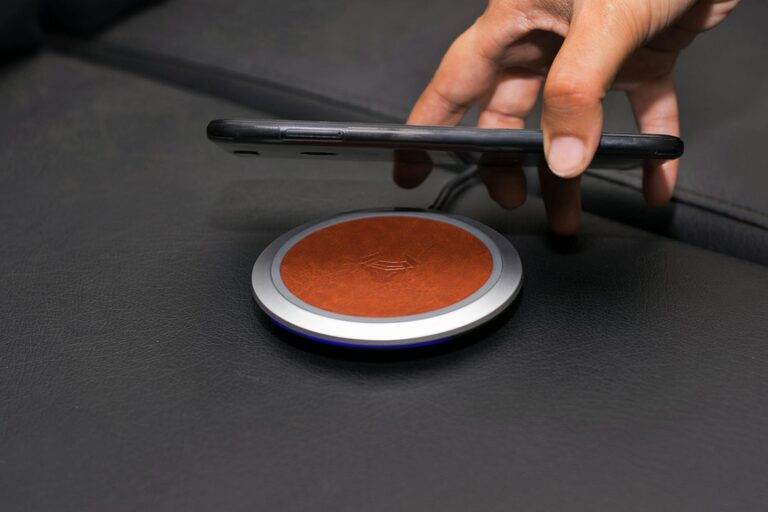
– Include a Wireless Charger: Great for compatible smartphones and earbuds, reducing cable clutter.
– Incorporate a Timer: To prevent overcharging and save energy.
– Use a Charging Station Box: These enclosures hide cables and strip for a cleaner look.
– Keep Accessories Handy: Store headphones, chargers, or power banks nearby.
Maintenance and Safety
– Regularly check cords for damage and replace if worn.
– Avoid placing charging stations near water or heat sources.
– Clean dust from plugs and cables to maintain performance.
– Update chargers to support new devices and charging standards.
Conclusion
Creating a charging station is a simple but effective way to keep your devices powered and your space tidy. By choosing the right location, power sources, and organizational tools, you can build a customized station that saves time and reduces clutter. Happy charging!
—
Feel free to share your charging station ideas or setups in the comments below!